
In 2011 I wrote The Windows 7 Pagefile And Running Without One. It’s been sourced, quoted, and held up as an example these several years. In reviewing possible changes to the upcoming Win10 Tweak Guide revision I decided to revisit this.
As before I’m going to benchmark my system with and without a pagefile. Unlike so many who come at testing, I’m going to tell you straight out I expect nothing to have changed. I’ve no agenda it’s just that Windows memory management as well as the speed of hardware has done nothing but improve over these last 9 years. I fully expect my previous conclusion that performance wise there is “no difference between having a pagefile and not.”
New Info
There hasn’t been a ton of writing on this subject coming out of Microsoft since my last article on this. A couple of quick ones of note, you should read and understand this and my previous article before continuing:
Introduction to page files
“When large physical memory is installed, a page file might not be required to support the system commit charge during peak usage. For example, 64-bit versions of Windows and Windows Server support more physical memory (RAM) than 32-bit versions support. The available physical memory alone might be large enough.
However, the reason to configure the page file size has not changed. It has always been about supporting a system crash dump, if it is necessary, or extending the system commit limit, if it is necessary. For example, when a lot of physical memory is installed, a page file might not be required to back the system commit charge during peak usage. The available physical memory alone might be large enough to do this. However, a page file or a dedicated dump file might still be required to back a system crash dump.”
How to determine the appropriate page file size for 64-bit versions of Windows
“Page file sizing depends on the system crash dump setting requirements and the peak usage or expected peak usage of the system commit charge. Both considerations are unique to each system, even for systems that are identical. This means that page file sizing is also unique to each system and cannot be generalized.”
– – – – – – – – – –
The Hardware
My computer as I run it every day:
Gigabyte Aorus Z390 Elite motherboard
I9-9900KF (all cores locked at 5GHz)
Corsair Vengeance LPX 32GB (2x16GB) 3200MHz C16 DDR4 DRAM Memory Kit
Samsung 980 Pro NVMe (Win10), Samsung SSD 970 EVO Plus 1TB NVMe (Docs & VMs), Samsung SSD 850 EVO 250GB (downloads, etc.)
XFX Radeon RX 580 GTS Black Edition
Sound Blaster ZxR sound card
Corsair Carbide Series SPEC-02 Mid Tower Gaming Case
Seasonic FOCUS Plus Series SSR-650FX 650W
Corsair Hydro Series H80i v2 Extreme Performance Liquid CPU Cooler
OS: Win10, + Linux Mint in a VM (with Windows 7, 8.1, 10 and other virtual machines.)
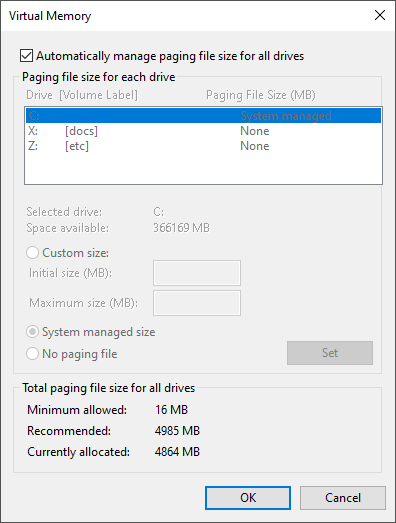
Pagefile is “System Managed” at 4864MB
– – – – – – – – – –
The Benchmarks
1 – PCMark10
2 – 3DMark
3 – My own “beat the hell of the system” benchmark
PCMark10
With pagefile: 7332
Without pagefile 7235
Results: Statistically insignificant
3DMark
With pagefile: 4766
Without pagefile 4767
Results: Statistically insignificant
My own “beat the hell of the system” benchmark
This is a bunch of running apps + PCMark10.
– 1 Linux Mint VM in VMware Workstation Player (8GB mem allocated)
– 6 files open in Adobe Photoshop Elements 2020
– 2 docs open of each: Excel, PowerPoint, Word
– 2 Windows each: Google Chrome, Mozilla Firefox
– 2 full FLAC albums playing, 1 in WACUP and 1 in MediaMonkey
– 1 MP4 movie playing in VLC
– 1 MKV movie being ripped in Handbrake
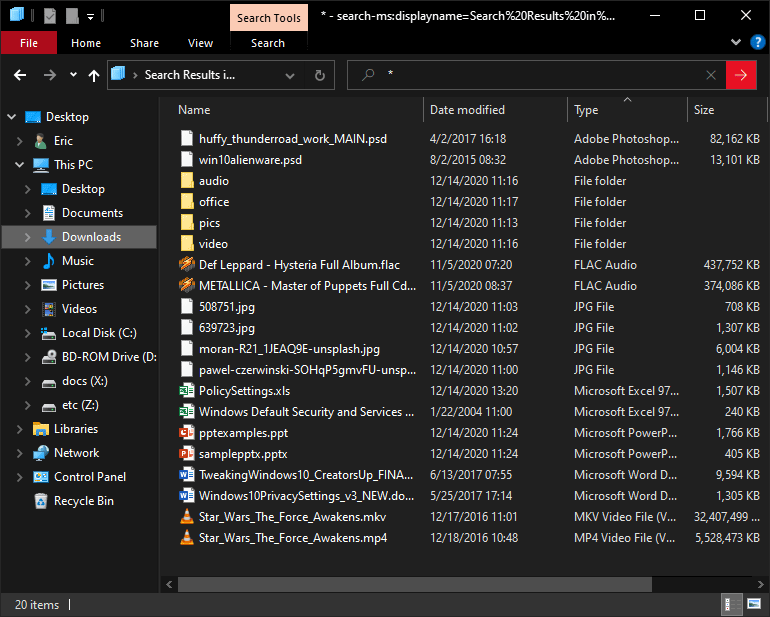
Once all these were running I ran PCMark10:
I don’t know what else I could do to emulate a full-tilt, real-world scenario.
With pagefile: 5333
Without pagefile 5310
Results: Statistically insignificant
(click for larger pic)
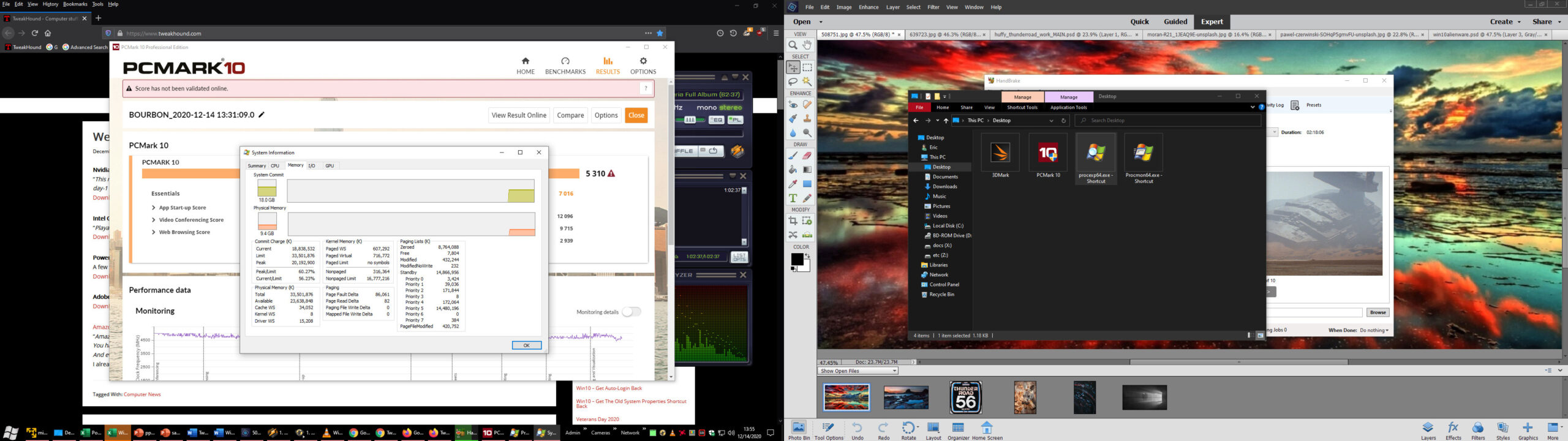
Memory never came close to being maxxed out:
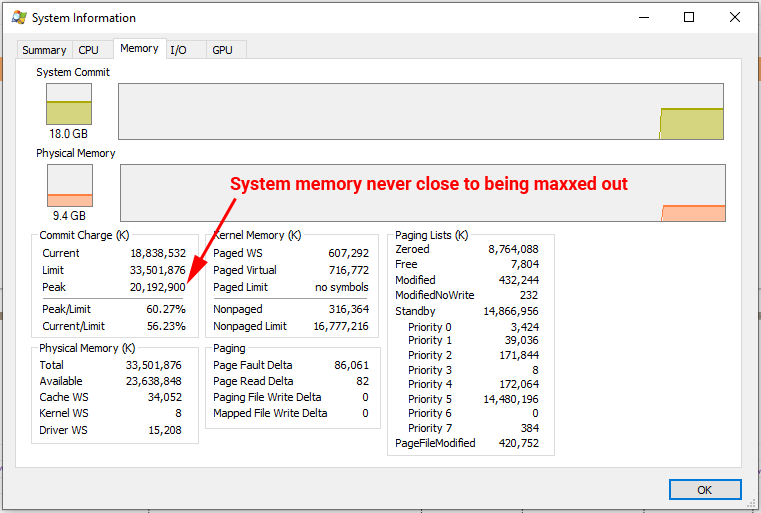
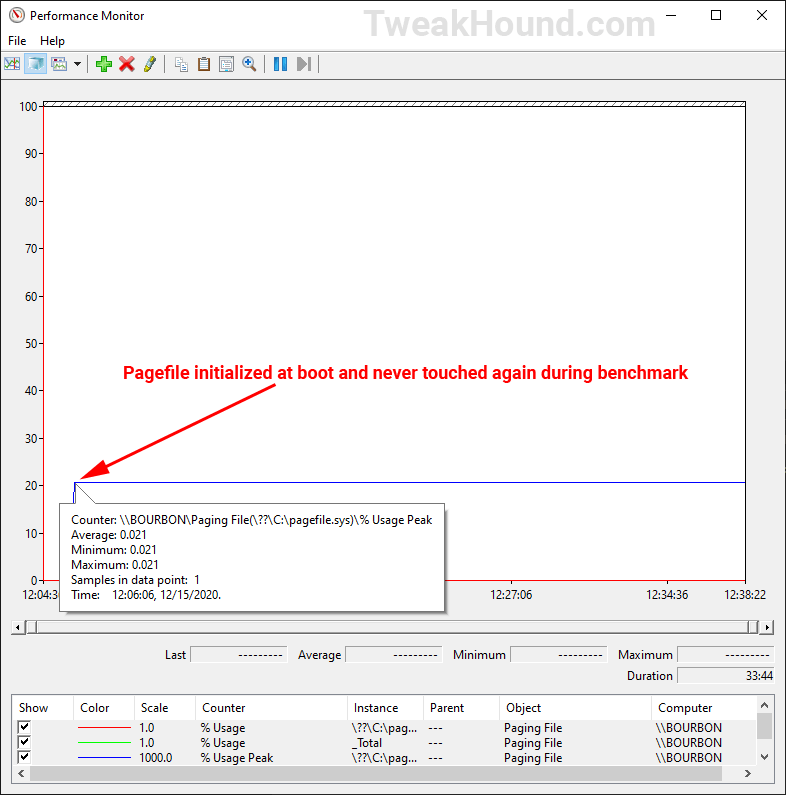
I re-ran the benchmark to see if the pagefile was accessed at all during the benchmark. Nope.
Conclusion
If you have enough memory you can run without a pagefile and doing so gains you nothing.
Or as I stated earlier, performance wise there is “no difference between having a pagefile and not.“
Good write-up, thank you!
32gb of ram is uncommon
32GB+ is what serious Geeks run.
Nah, that’s 64GB 😛